
Free Claude skill
Instagram Agent Skill for Claude
Step-by-Step Install Guide
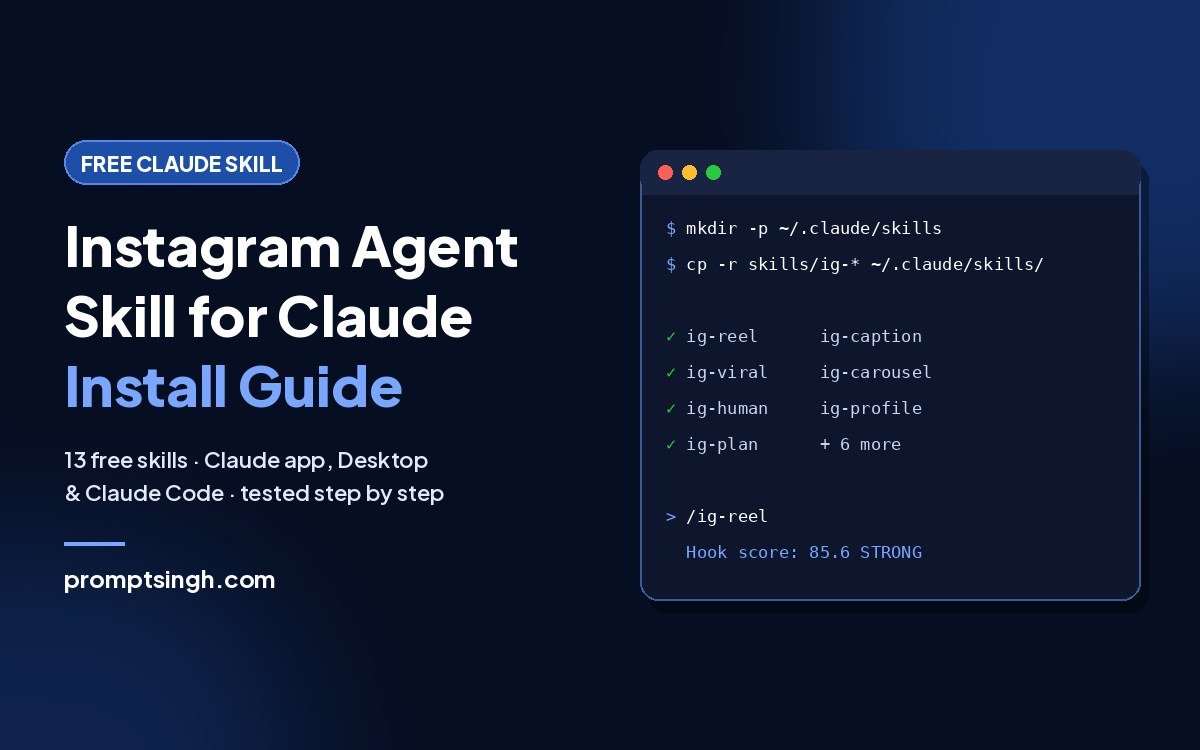
Lots of videos show off the Instagram Agent Skill for Claude, but almost none show how to install it. This guide does. In about 10 minutes you’ll have 13 free Claude skills that write Reel scripts, captions, carousels and weekly content plans in your own voice, whether you use the Claude app, Claude Desktop or Claude Code. I tested every command on this page on a fresh setup, so you can see exactly how to install Claude skills without errors. Looking for more? See my list of the 10 best free Claude skills.
Download the upload-ready skills (free)
13 skills, each packed as its own ZIP so Claude accepts it. Unmodified files from the official open-source project, MIT licence included.
Download ZIP (84 KB)Prefer the original? Get it on GitHub
On this page
What is the Instagram Agent Skill?
It’s a free, open-source pack of 13 Claude skills made by Jake Schincariol, released under the MIT licence. Each skill teaches Claude one Instagram job. It writes; you post. Nothing is ever published to Instagram for you.
| Skill | What it does |
|---|---|
/ig-reel | Turns one idea into a Reel: 3 hooks scored from 26 formulas, the script, on-screen text and a timed beat sheet |
/ig-viral | Finds Reels that are working in your niche and ranks them against each account’s normal views |
/ig-caption | Writes and checks your caption, showing exactly what the feed shows before “… more” |
/ig-carousel | Cover slide, slide-by-slide copy and 1080×1350 files |
/ig-story | A daily Story sequence, with which sticker to use where |
/ig-profile | Scores your profile out of 100 and rewrites the weak parts |
/ig-plan | Your week: what to post, which format, when, and who to engage with |
/ig-human | Cleans robotic wording, em dashes and hidden characters so your writing sounds like you |
/ig-comment | Thoughtful comments on other people’s posts |
/ig-reply | Sorts and drafts replies to comments on your posts |
/ig-dm | Keyword DMs, first messages, collab pitches and follow-ups |
/ig-repurpose | One video, podcast or newsletter into a week of Reels and carousels |
/ig-audit | Reviews what you already posted and what to stop making |
How to install Claude skills: which method should you use?
- No coding, you use Claude in the browser or the desktop app → Method 1
- You use Claude Code in the terminal → Method 2 (easiest) or Method 3 (manual)
Method 1: Install in the Claude app or Claude Desktop (no coding)
Step 1: Download and unzip the skills
Download the upload-ready skills (free)
13 skills, each packed as its own ZIP so Claude accepts it. Unmodified files from the official open-source project, MIT licence included.
Download ZIP (84 KB)Prefer the original? Get it on GitHub
Unzip the file. Inside the “skills” folder you’ll find 13 ZIP files, one per skill. Don’t unzip those; Claude needs them as ZIPs.
Why not the GitHub download? Claude accepts one skill per ZIP, and the GitHub ZIP has all 13 skills in one file, so Claude rejects it. The download above is already split for you.
Step 2: Turn on code execution
Skills need Claude’s code execution feature. In Claude’s Settings, make sure “Code execution and file creation” is turned on. Skills work on the Free, Pro, Max, Team and Enterprise plans.
Step 3: Upload the skills
- Open Customize → Skills.
- Click “+”, then “Create skill”, then “Upload a skill”.
- Upload ig-reel.zip.
- Repeat for each skill you want. Start with ig-reel, ig-caption, ig-human and ig-plan; add the rest later.
- Make sure each skill’s toggle is on.
Step 4: Test it
Start a new chat and type:
Use the ig-reel skill: write a Reel about how I make AI videos for free. My audience is beginners in India.Claude Desktop uses the same skills as your Claude account, so once uploaded they work in both. Skills you upload also sync to Claude Code when you sign in with the same account.
Method 2: Claude Code, the one-paste install (easiest)
Open Claude Code and paste this. Claude installs the skills for you:
https://github.com/Jakeschincariol/instagram-agent-skill

Install this skill, then confirm /ig-reel works.
This always installs the latest version from the author’s GitHub.
Method 3: Claude Code, manual install
You need Git and Python 3 installed.
Mac or Linux (Terminal):
git clone https://github.com/Jakeschincariol/instagram-agent-skill.git
mkdir -p ~/.claude/skills
cp -r instagram-agent-skill/skills/ig-* ~/.claude/skills/
Windows (PowerShell):
git clone https://github.com/Jakeschincariol/instagram-agent-skill.git
New-Item -ItemType Directory -Force "$HOME\.claude\skills" | Out-Null
Copy-Item -Recurse instagram-agent-skill\skills\ig-* "$HOME\.claude\skills\"
Tip: the middle line creates the skills folder first. On a new computer it doesn’t exist yet, and without it the copy command fails with “No such file or directory”. It’s the most common install error, and the command in many other tutorials skips it.
Or install it as a Claude Code plugin:
/plugin marketplace add Jakeschincariol/instagram-agent-skill
/plugin install instagram-agent
Restart Claude Code, then type /ig-reel to check it’s working.
Set up your voice.md (don’t skip this)
Every skill reads a voice profile so the writing sounds like you, not like AI. It takes about 10 minutes.
- Claude Code: create the folder and copy the template, then open the file and fill it in. Or send Claude three of your own Reel scripts and say “write my voice.md from these”.
mkdir -p ~/.claude/instagram
cp instagram-agent-skill/templates/voice.md ~/.claude/instagram/voice.md- Claude app or Desktop: fill in voice.md from the download (it’s in the templates folder), and attach it (or paste it) at the start of each chat where you use the skills.
Real examples: what the tools actually output
I ran two of the skill’s built-in tools on my own content. The hook scorer ranked three hook ideas for my viral coffee Reel:
HOOK RANKING
->  47.0 WEAK    This coffee trend got 1 million views in 14 hours
        weakest: STAKES (20)
    37.2 WEAK    Stop scrolling if you want to go viral with AI
        dealbreaker: Opens with "stop scrolling". Asking for attention proves you have not earned it.
    13.2 WEAK    Hey guys, today I will show you a coffee video
        dealbreaker: Greeting. Nobody came to the feed to be greeted.
Lesson: even a hook with a big number scored “weak” because it didn’t show what’s at stake for the viewer. The tool is good at catching weak hooks before you film.
The caption checker showed what the feed displays before “… more”, and flagged that my caption was missing the search terms I wanted to rank for:
PASS  FIRST LINE        107 characters, lands whole
PASS  HOOK IS CONCRETE  3 number(s) or name(s) in the visible window
PASS  HASHTAGS          3 tag(s): #aivideo #aiprompts #pollorecast
PASS  ONE ASK           one call to action: comment a keyword
FAIL  SEARCH TERMS      0/2 present. Missing: ai video, coffee trend
VERDICT  FIX
And the humanizer cleaned up a robotic sentence:
Before: In today's video, we dive into the game-changing world of AI — it's not just a tool, it's a revolution.
After:  We dive into the big world of AI, it's not just a tool, it's a revolution.
It removed the stock opener, the buzzword and the em dash, and flagged the “it’s not just X, it’s Y” pattern for me to rewrite myself.
5 prompts to try first
Use the ig-reel skill: turn this idea into a 20-second Reel: [your idea]Use the ig-caption skill: write a caption for this Reel and check it: [paste your script]Use the ig-profile skill: score my Instagram profile. Name: [name]. Bio: [bio]. Link: [link]Use the ig-human skill: clean up this caption so it sounds like me: [paste caption]Use the ig-plan skill: plan my next week of Instagram posts for [your niche]What it can’t do
- It doesn’t post to Instagram. Every skill ends with copy-ready text, and you post it yourself.
- The hook scorer catches weak hooks well, but it can’t predict which good hook will go viral. In the author’s own test it did little better than a coin flip at that. Your retention graph is still the real judge.
- Instagram’s rules change (for example, the hashtag limit). If the tool disagrees with Instagram, trust Instagram.
- /ig-human improves wording. It isn’t a way to hide that content was made with AI, so keep labelling AI images and videos where platforms ask you to.
Troubleshooting
- “I can’t see Skills”: make sure code execution is turned on in Settings.
- “Upload failed”: upload the small ZIPs from the skills folder (for example ig-reel.zip), not the big download ZIP, and don’t rename them.
- “Claude isn’t using the skill”: check the skill is toggled on, and name it in your message (“Use the ig-reel skill…”).
- “No such file or directory” when copying: the skills folder doesn’t exist yet. Run mkdir -p ~/.claude/skills (Mac/Linux) or the New-Item line (Windows), then copy again.
- Claude Code says “python3 not found”: install Python 3, then restart Claude Code.
Is it safe?
The Instagram Agent Skill for Claude is open source, so anyone can read every file before installing. Only install skills from sources you trust. The download on this page contains the unmodified files from the official GitHub project (commit d03c56b), with the original MIT licence, packed so Claude accepts them. I checked that every skill ZIP meets Claude’s upload rules.
Want 25 more free AI prompts?
Get my free Starter Prompt Pack: 25 copy-paste prompts for AI photos, videos and ChatGPT, sent straight to your inbox.
Found this useful?
Share it with a friend, or get new AI prompts and trends first on my WhatsApp channel.
FAQ
Is the Instagram Agent Skill for Claude free?
Yes. It’s free and open source under the MIT licence. You only need a Claude account; skills work on the Free plan too, with code execution turned on.
Do I need to know coding?
No. Use Method 1: download the ZIPs on this page and upload them in Claude’s Customize → Skills. Claude Code is optional.
Does it post to Instagram for me?
No. It writes scripts, captions, plans and replies. You review and post them yourself, which also keeps your account safe.
Why does the GitHub download fail when I upload it to Claude?
Claude needs one skill per ZIP. The GitHub download has all 13 skills in one ZIP, so use the upload-ready ZIPs on this page, or zip each skill folder separately.
Does it work in Claude Desktop?
Yes. Claude Desktop uses the skills on your Claude account, so upload them once with Method 1 and they work in the desktop app too.
How do I update it?
In Claude Code, run the install again from GitHub. In the Claude app, delete the old skill and upload the new ZIP.
How do I install Claude skills from a ZIP file?
Open Customize → Skills in Claude, click “+”, then “Create skill” and “Upload a skill”, and upload one skill ZIP at a time. Each ZIP must contain a single skill folder with a SKILL.md file inside.